
TOP-UP GUIDE
How to Top Up & Change Currency on EXP-TOPUP
“Easy, convenient, and fast game top-up with a method to change currency for international users”
Purchasing item packages for your favorite games is no longer a hassle with the service from the EXP Topup website (exptopup.online), an online top-up channel designed to be user-friendly, convenient, and fast, allowing you to receive items in your character instantly in just a few steps.
💳 Steps to Top Up via EXP-TOPUP
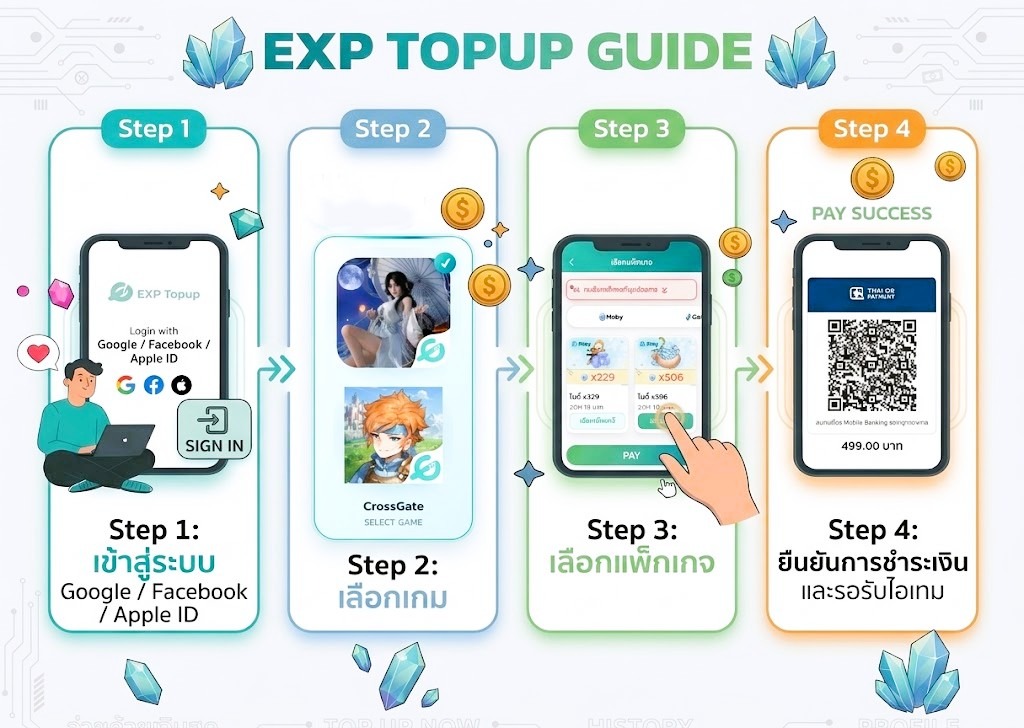
Making a top-up transaction for your character through the website can be done easily in 4 main steps as follows:
Step 1: Log In
Access the EXP Topup website and log in using your email, or Google, Facebook, or Apple ID account. Once logged in, the homepage will display a list of all supported games. Click on the game icon you wish to top up.
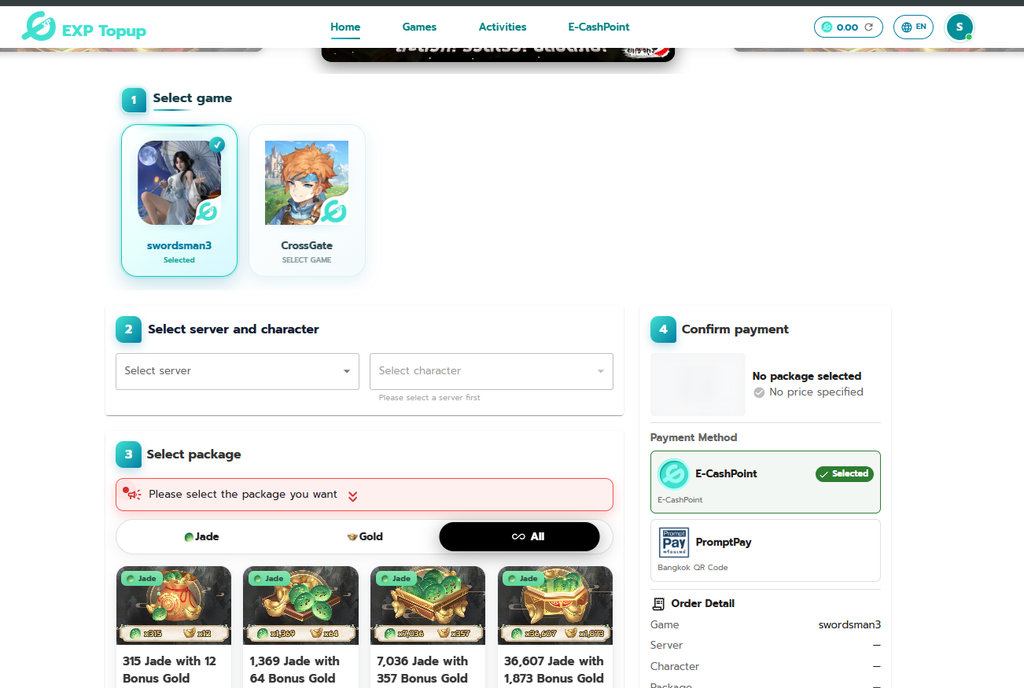
Step 2: Select Server and Character
Specify the server you are playing on, then click on the select character box to choose the character name you want the system to send the items to.
Step 3: Choose Package
Select the type of top-up package you want. The system will categorize them clearly, so click on the package that matches your needs.
Step 4: Confirm Payment
- Check the order details in the right sidebar to ensure they are correct (game name, server, character name, and selected package).
- Choose a convenient payment method, such as E-CashPoint or PromptPay.
- Click to proceed and make the payment as instructed. Once the payment is completed, the system will automatically send the items to your character in the game.
🌍 How to Change Currency and Pay for International Services
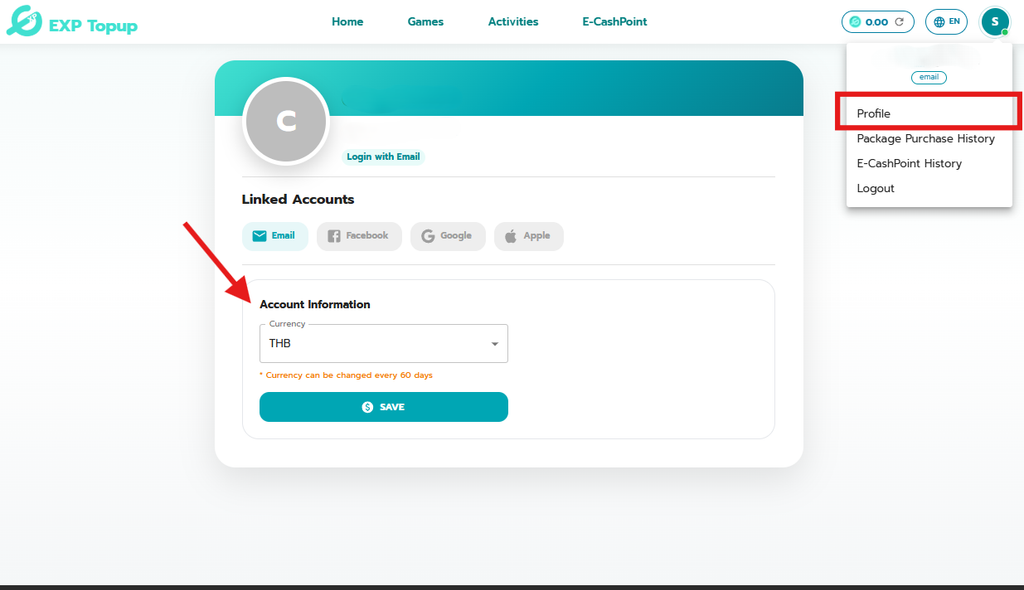
For users living abroad or wishing to pay with another currency, you can set up to change the main currency of your account by following these steps:
- Click on Personal Information: Click on the profile icon in the upper right corner of the website to access the account management page.
- Select Currency: In the Account Information section, under the Currency heading, click to select the currency you wish to use for payment.
- Click Save Information: Press the SAVE button to confirm the currency change.
⚠️ Note: The system allows you to change the currency once every 60 days. Please check the details and select the currency you wish to use carefully before clicking save.
Follow for news and more information at:
🎊Facebook: Click Here!!
🗣Facebook Group: Click Here!!
📺Youtube: Click Here!!
📱Tiktok: Click Here!!
🎮Discord: Click Here!!