How to Redeem Gift Code in Cross Gate : Mobile
Claim your free rewards in 4 simple steps so you don’t miss out on any prizes and events!
For travelers in the world of Cross Gate : Mobile who have received special item codes—whether they are gift codes or codes from various events—but are unsure where to enter them, today we have an easy way to redeem item codes in the game. Just follow these 4 steps!
📱Steps to Redeem Item Code
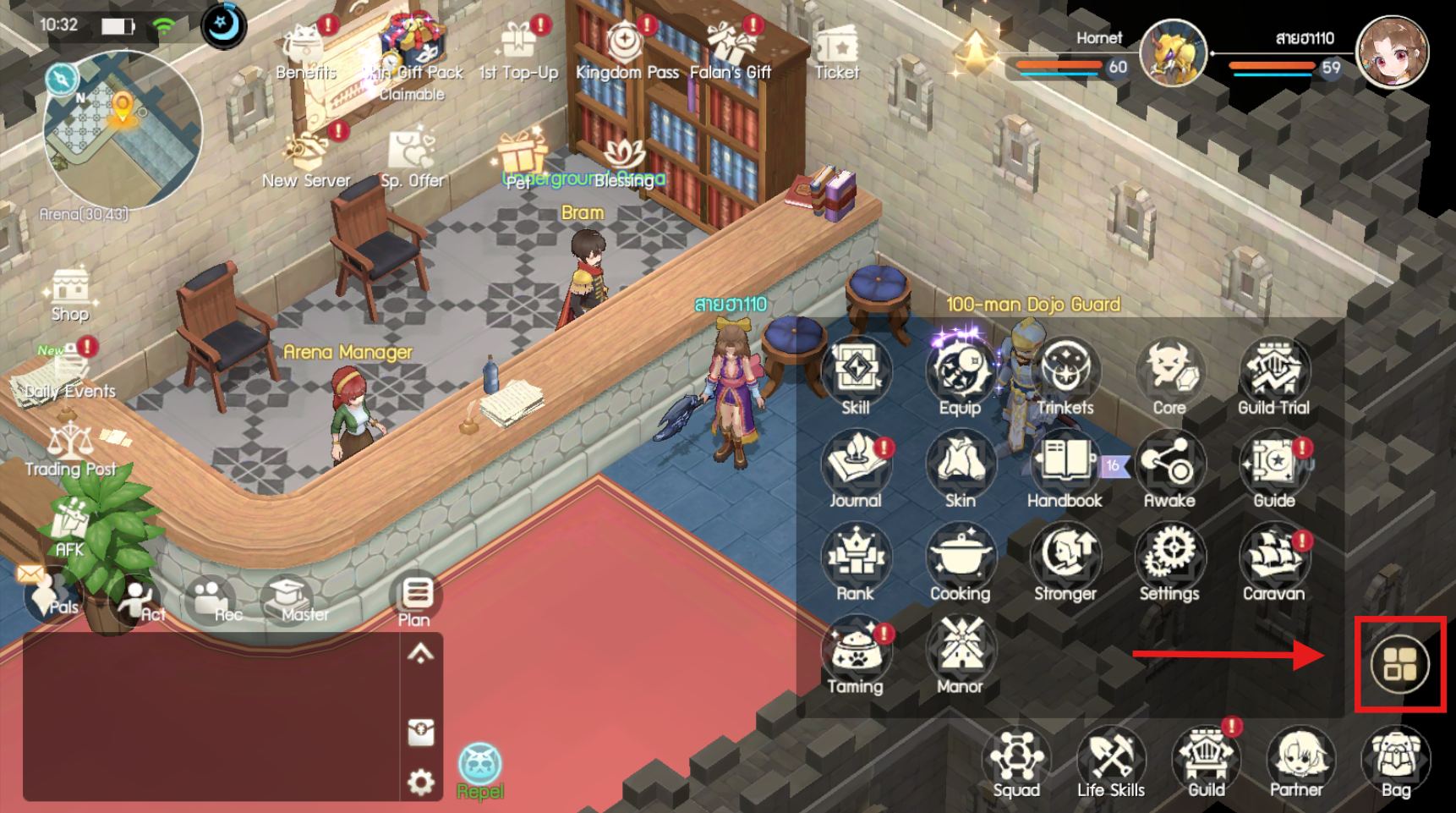
Step 1: Open the menu on the right side of the main screen
Once you enter the game, look at the bottom right corner of the main screen, above the bag icon. There will be a “Main Menu Button” (icon of a square with 4 boxes). Click this button to open the additional menu bar.
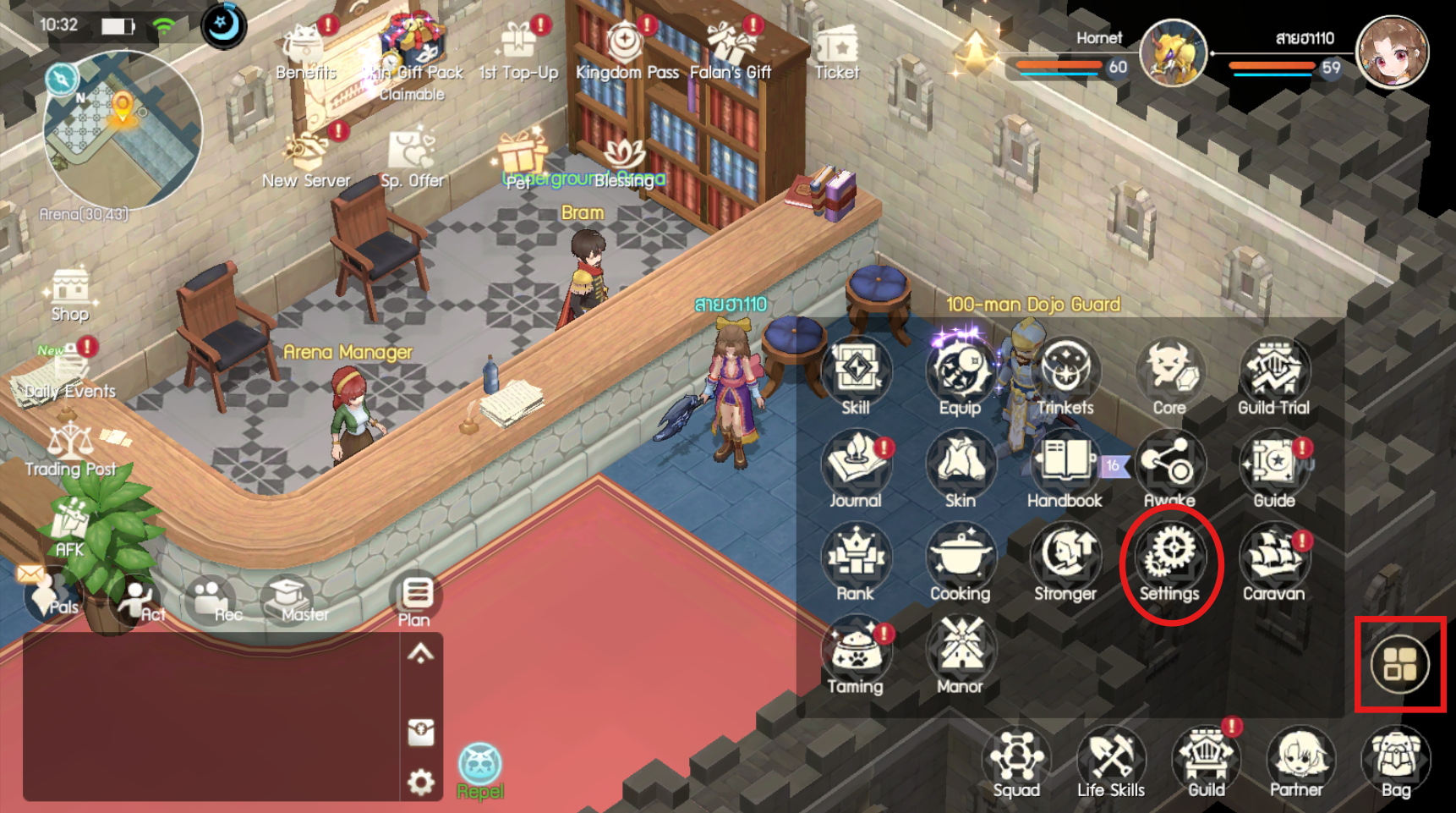
Step 2: Select the “Settings” menu
After opening the main menu, an additional menu icon bar will appear. Look for and click on the gear icon labeled “Settings.”
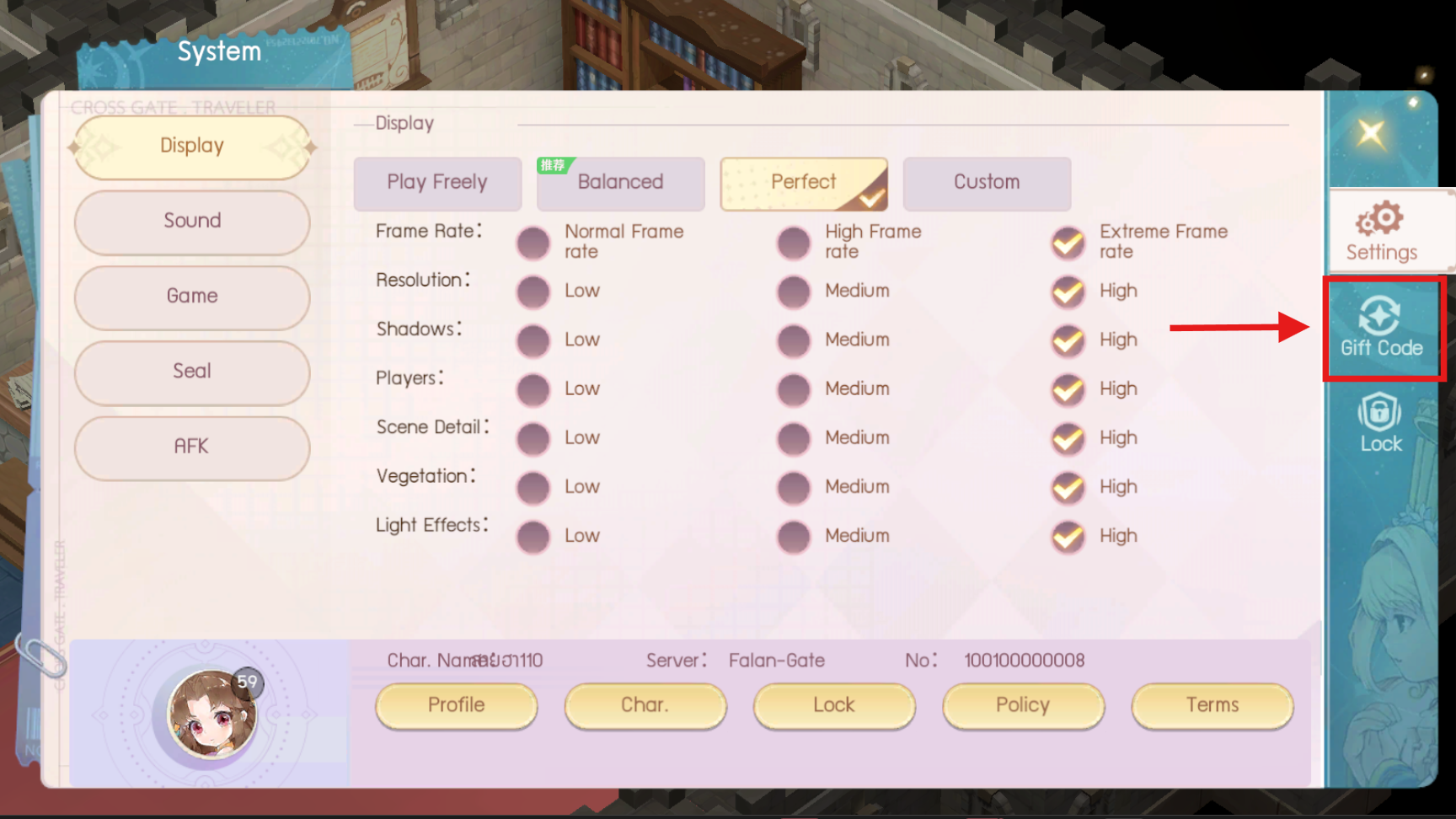
Step 3: Go to the “Item Code” section
When you enter the settings window, look at the blue menu bar on the far right of the screen. You will find the “Item Code” section (icon of a rotating arrow with a plus sign). Click on this section.
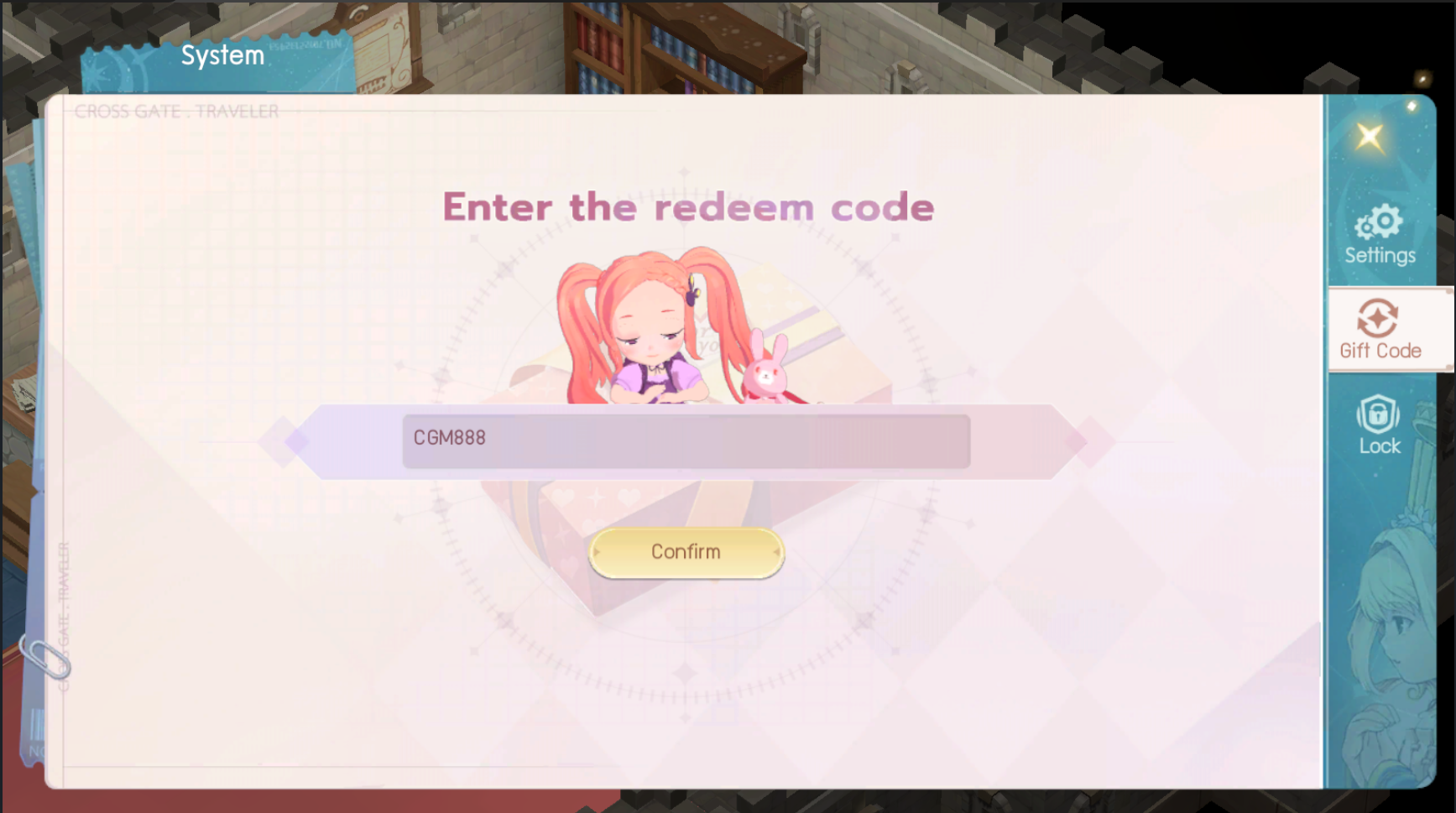
Step 4: Enter the code and receive rewards
The “Enter Item Code” window will appear. Follow these final steps:
- Click on the “Click to Enter” box and type or paste the item code you have.
- Check the accuracy of the uppercase and lowercase letters.
- Click the yellow “Confirm” button at the bottom to immediately claim your reward!
💡Additional Tips for Players
- Check the mailbox: Most rewards after successfully redeeming the code will be sent directly to the “Mail System” in the game. Don’t forget to go in and collect them into your bag.
- Beware of expired codes: Each set of item codes usually has a usage time limit. If you receive one, you should redeem it immediately to avoid missing out on your rewards!
Follow for news and more information at:
🎊Facebook: Click Here!!
🗣Facebook Group: Click Here!!
📺Youtube: Click Here!!
📱Tiktok: Click Here!!
🎮Discord: Click Here!!