🤜Combat System🤛
CROSS GATE: Mobile’s combat system is a turn-based system that combines strategy, skill usage, and team command sequencing. Players need to choose commands appropriate to the situation, whether it’s attacking, controlling enemies, defending, or providing support from pets, in order to face increasingly stronger enemies.
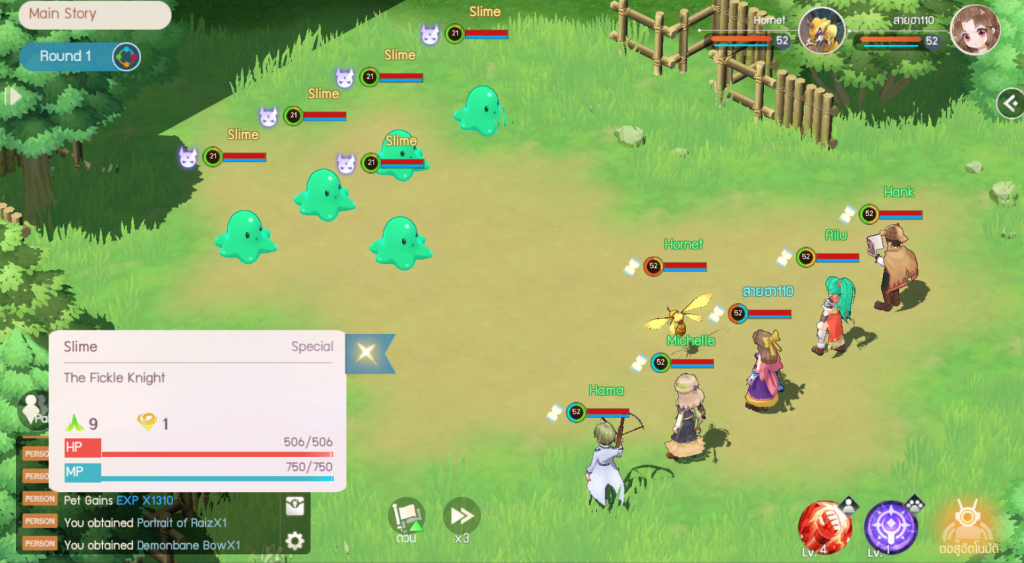
Upon entering the battle scene, players will find a main command menu and various systems that facilitate combat, both for new players and those who want to play with in-depth strategy. This time, we will introduce the basic combat system and important commands within the battlefield.
🤖Automatic Combat System
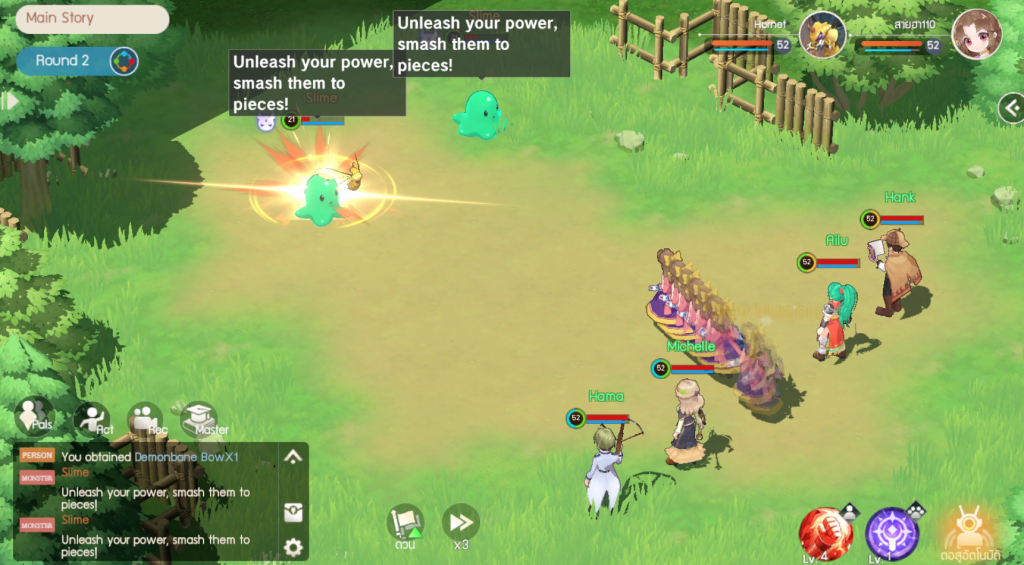
The game supports an “Automatic Combat” system that can be enabled or disabled as needed. Players can pre-set the skills they want their characters and pets to use, as well as set up automatic use of health and mana healing items, making leveling up, farming monsters, and completing daily quests easier.
In addition, the order of skill usage or initial conditions can be adjusted, making the automatic system more flexible and suitable for various gameplay situations.
🗡️Basic Combat Commands
Within the battlefield, players can select various commands for both their main character and pets. The basic commands include:
⚔️Attack
Used to attack the enemy with a normal attack.
🛡️Defend
Used to reduce damage taken in that turn.
✨Skill
Used to select and activate various skills of the character or pet.
🐾Pet
Used to switch pets participating in combat.
🔮Seal
Used to capture a monster and transform it into a loyal pet.
↩️Recall
Used to recall the pet from the battlefield.
🧪Item
Used to activate various items, such as potions to restore health or mana.
🔄Swap Positions
Used to swap the positions of characters and pets on the battlefield to adjust strategies for blocking or dodging attacks.
🏃Escape
Used to leave the battle, with varying chances of success depending on the situation.
🎯Special Command
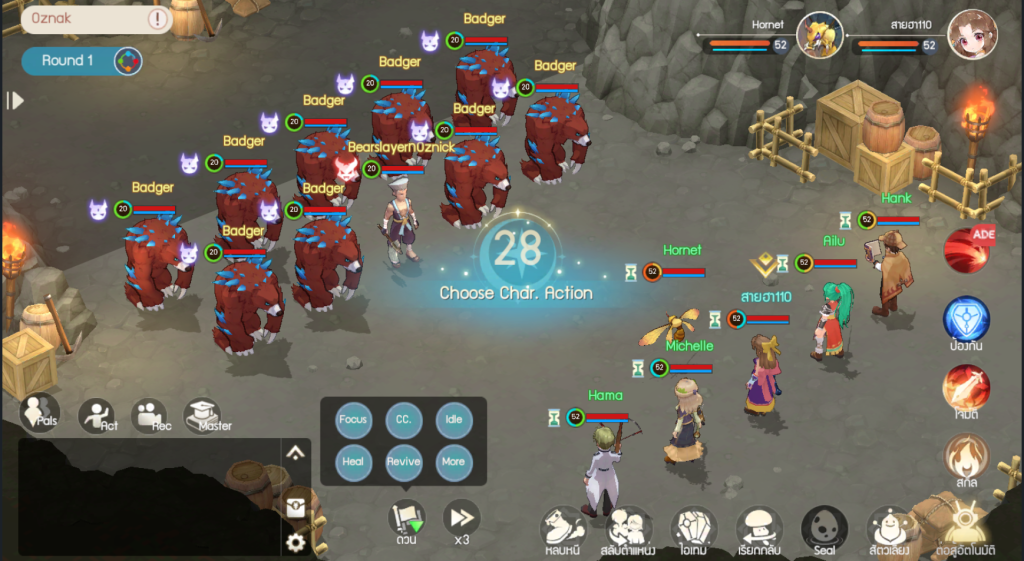
In addition to basic commands, the game also features a “Special Command System” that adds dimension and variety to party gameplay, making it easier for team members to coordinate.
🎯Combined Target Attack
Orders all members of the party to attack the same enemy target. To quickly eliminate key targets:
🌀Control
Focus on using skills that inflict abnormal status effects such as slumber, confusion, or petrification.
⏳Pending
Slow down actions or wait for the right moment to adjust your plan according to the situation within the turn.
💚Restore Health
Focus on using skills or items to heal team members.
💫Revive
Order characters that can revive to revive defeated teammates.
⚙️Additional
A menu for setting up shortcuts and pre-defined commands for faster use during combat.
📌More Information on the Battlefield
❗In the upper left corner of the screen, a “!” symbol allows you to check the details of the battle scene. Players can view information about the enemy, battlefield conditions, or other details related to the battle.
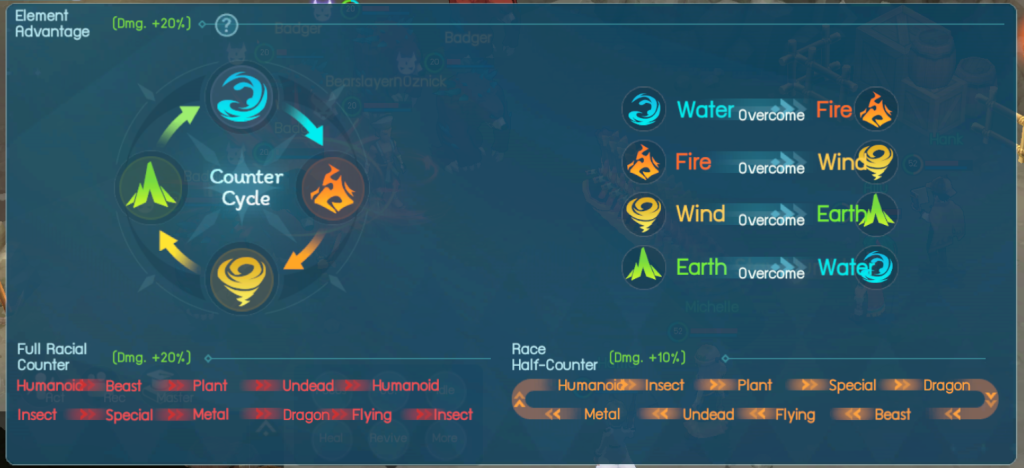
🌍In addition, there is a “Elemental System” that shows the weaknesses and weaknesses of each element, which is a crucial factor in combat. Choosing skills or pets that match the advantageous element will greatly increase damage output and reduce battle risk.
By understanding these basic systems, players can plan battles more effectively, whether it’s general adventure, boss fights, or competing against other players.
Follow for news and more information at:
🎊Facebook: Click Here!!
🗣Facebook Group: Click Here!!
📺Youtube: Click Here!!
📱Tiktok: Click Here!!
🎮Discord: Click Here!!